
Read detailed SentryPC reviews to learn about its features, pricing, and performance. Discover if it’s the right employee monitoring software for your business.
Enter SentryPC, a versatile software designed for activity monitoring, content filtering, and time management. SentryPC offers a comprehensive solution for those looking to control and oversee computer and mobile device usage. With features like real-time activity monitoring, content filtering, and time management, it caters to both home and business environments. The software supports multiple devices and operating systems, providing a seamless experience. Its cloud-based access allows users to manage and view logs from anywhere. This blog post delves into SentryPC reviews, highlighting its benefits, features, and user experiences to help you decide if it’s the right tool for you. Learn more about SentryPC by visiting their official website.
Introduction To Sentrypc
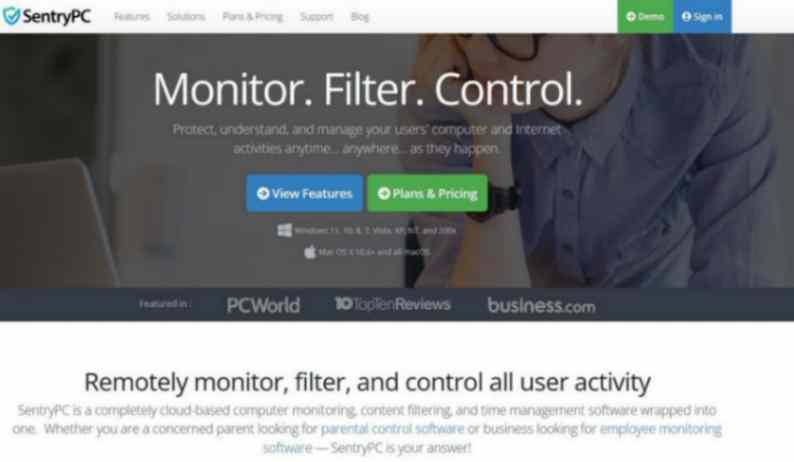
SentryPC is a comprehensive software solution designed to monitor, filter content, manage time, and control access on computers and mobile devices. It caters to the needs of parents, employers, and institutions seeking to manage and secure user activities effectively.
What Is Sentrypc?
SentryPC is a cloud-based software that offers a variety of features for activity monitoring, content filtering, and time management. It is compatible with multiple devices and operating systems including Android, Chromebook, Mac, and Windows. The software operates in stealth mode, ensuring users are unaware of its presence, and provides real-time monitoring and management capabilities.
Purpose And Target Audience
SentryPC is designed for a wide range of users. Its primary targets are:
- Parents: To monitor and control their children’s online activities.
- Employers: To keep track of employee productivity and prevent misuse of company resources.
- Schools: To manage and monitor students’ activities on school devices.
- Other Institutions: To ensure compliant and safe use of devices within the organization.
Importance Of Monitoring Software
Monitoring software like SentryPC plays a crucial role in today’s digital age. Here are some key reasons why:
- Enhanced Monitoring: Provides detailed insights into user activities.
- Improved Control: Blocks inappropriate content and manages device usage time.
- Real-Time Management: Allows instant application of settings and real-time activity monitoring.
- Stealth Operation: Operates discreetly to avoid user detection.
- Versatile Compatibility: Works across multiple operating systems and devices.
These features make SentryPC an essential tool for maintaining control and security over digital environments.
Key Features Of Sentrypc
SentryPC offers a robust set of features that cater to both parents and employers. This all-in-one software solution combines computer monitoring, content filtering, time management, and access control. Below, we explore some of the standout features that make SentryPC an essential tool for monitoring and managing computer and mobile device usage.
Comprehensive Activity Monitoring
SentryPC provides detailed logs of all user activities in real-time. This includes:
- Websites visited
- Applications used
- Files accessed or modified
This feature allows you to understand how devices are being used, providing a complete picture of user behavior.
Website And Application Blocking
You can block or limit access to specific websites, applications, and games. Set user-defined rules to ensure users only access appropriate content. This helps create a safe and productive digital environment.
Time Management Tools
SentryPC offers tools to manage and limit device usage. You can set daily schedules and maximum usage limits for each device. This feature is particularly useful for parents wanting to manage their children’s screen time.
Screenshot Capture
SentryPC captures screenshots at regular intervals. This provides visual evidence of user activities. Screenshots can be reviewed to ensure users are adhering to set guidelines and policies.
Keystroke Logging
Keystroke logging records all keystrokes made on a device. This feature helps monitor communication and detect any inappropriate or unauthorized activity. It’s an effective way to ensure compliance with company policies or parental guidelines.
User Activity Reports
SentryPC generates in-depth reports on user activities. These reports include:
- Detailed records of blocked activities
- Usage statistics
- Customizable visual charts
Reports can be downloaded for offline use, providing a comprehensive overview of device usage and user behavior.
How Each Feature Benefits Users
SentryPC offers a range of features designed to help parents and employers monitor and control computer and mobile device usage. Each feature provides unique benefits, ensuring users can manage activities effectively and securely. Below, we explore how each feature benefits users.
Enhanced Productivity Tracking
Activity Monitoring is a core feature of SentryPC. It records all user activities in real-time, providing detailed logs of computer and phone usage. This helps identify productivity patterns and areas where time might be wasted.
- Detailed logs of user activities
- Identify productivity patterns
- Reduce time wasted on non-productive tasks
Improved Security Measures
Content Filtering allows blocking or limiting access to applications, games, websites, and keywords. This ensures users do not access inappropriate or harmful content.
- Block inappropriate websites and applications
- Limit access to specific content
- Protect users from harmful online content
Controlled Access To Content
Time Management features let users set daily schedules and maximum usage limits for devices. This helps control screen time and ensures devices are used responsibly.
- Set daily schedules for device usage
- Enforce maximum usage limits
- Encourage responsible screen time
Detailed User Insights
Cloud-Based Access allows managing and viewing activity logs from any web-enabled device. This provides comprehensive insights into user activities from anywhere.
- Access logs from any web-enabled device
- Monitor activities remotely
- Gain comprehensive user insights
Effective Time Management
Real-Time Viewing allows users to monitor activities as they happen and apply settings instantly. This ensures timely intervention and management of device usage.
- Monitor activities in real-time
- Apply settings instantly
- Ensure timely intervention
Comprehensive Reporting
Usage Reports and Visual Charts provide in-depth reports and customizable charts to visualize activity data. This helps in understanding user behavior and making informed decisions.
| Feature | Benefit |
|---|---|
| Usage Reports | In-depth activity reports |
| Visual Charts | Customizable activity charts |
| Download Archives | Offline access to logs |
These features collectively ensure users can monitor and control device usage effectively and securely.

Pricing And Affordability
SentryPC offers a comprehensive set of features for monitoring and controlling user activities. Understanding its pricing structure helps determine its value for money. This section delves into the pricing tiers, plans, and how SentryPC stands against its competitors.
Pricing Tiers And Plans
SentryPC provides flexible plans to cater to different needs. Below are the available pricing tiers:
| Plan | Price (Annual) | Devices Covered |
|---|---|---|
| Basic Plan | $59.95 | 1 Device |
| Standard Plan | $89.95 | 3 Devices |
| Professional Plan | $159.95 | 10 Devices |
All plans include lifetime free updates and 24/7 customer support.
Value For Money
SentryPC offers a variety of features that make it a valuable investment. Here are some key benefits:
- Comprehensive Monitoring: Records all user activities in real-time, providing detailed logs.
- Content Filtering: Blocks access to inappropriate content based on user-defined rules.
- Time Management: Set daily schedules and maximum usage limits for devices.
- Cloud-Based Access: Manage and view activity logs from any web-enabled device.
- Stealth Operation: Operates without user awareness, with optional warning messages.
These features ensure that users get significant value for their money, making SentryPC a worthwhile investment for parents and employers.
Comparison With Competitors
SentryPC stands out from its competitors due to its comprehensive feature set and competitive pricing. Below is a comparison with other popular monitoring software:
| Feature | SentryPC | Competitor A | Competitor B |
|---|---|---|---|
| Activity Monitoring | Yes | Yes | Yes |
| Content Filtering | Yes | No | Yes |
| Time Management | Yes | Yes | No |
| Cloud-Based Access | Yes | No | Yes |
| Stealth Operation | Yes | Yes | No |
| Price (Annual) | From $59.95 | From $99.95 | From $79.95 |
As seen in the table, SentryPC offers superior features at a lower cost compared to some competitors. This makes it an attractive option for those needing reliable monitoring and control software.
Pros And Cons Of Sentrypc
SentryPC offers robust features for monitoring and managing computer and mobile device usage. It is designed to provide comprehensive activity monitoring, content filtering, and time management. Here, we explore the pros and cons of SentryPC based on user feedback.
Advantages Based On User Feedback
Users have highlighted several advantages of SentryPC:
- Comprehensive Monitoring: SentryPC offers detailed logs of all user activities in real-time, providing valuable insights.
- Content Filtering: The software effectively blocks or limits access to applications, games, websites, and keywords.
- Time Management: Users can set daily schedules and maximum usage limits, helping to manage screen time efficiently.
- Cloud-Based Access: Activity logs can be managed and viewed from any web-enabled device, offering convenience.
- Real-Time Viewing: SentryPC allows users to monitor activities as they happen and apply settings instantly.
- Stealth Operation: Operates discreetly without the user’s awareness, maintaining privacy.
- Central Management: Multiple devices and users can be managed from a single cloud account, simplifying control.
- Free Updates: Users benefit from lifetime free updates, ensuring the software remains current without additional costs.
Common Drawbacks And Limitations
Despite its many advantages, users have also noted some drawbacks:
- Complex Setup: Some users find the initial setup process challenging, requiring technical know-how.
- Limited Mobile Features: The mobile version may lack some features available on the desktop version.
- Subscription Costs: While updates are free, users must maintain a subscription to continue using the software.
- System Performance: Running SentryPC in stealth mode can sometimes affect system performance.
Overall User Satisfaction
Overall, user satisfaction with SentryPC is high. The software’s comprehensive monitoring, content filtering, and time management features are highly appreciated. Users value the real-time monitoring and stealth operation. The convenience of cloud-based access and central management is frequently praised.
While there are some limitations, such as the complexity of setup and performance impact, the benefits often outweigh these drawbacks. SentryPC continues to be a popular choice for parents, businesses, and institutions seeking to monitor and control computer and mobile device usage effectively.
Ideal Users And Scenarios
SentryPC is a versatile software designed for various monitoring and control needs. It suits different user groups, including businesses, parents, and educational institutions. This section explores the ideal users and scenarios for SentryPC.
Best Use Cases For Businesses
Businesses can greatly benefit from SentryPC’s comprehensive monitoring and control features. Here are some ideal scenarios:
- Employee Monitoring: Track employee activities in real-time.
- Content Filtering: Block access to non-work-related websites and applications.
- Time Management: Set usage limits to boost productivity.
- Central Management: Manage multiple devices from a single account.
SentryPC helps businesses ensure employees stay focused and productive during work hours.
Suitability For Parents And Guardians
Parents and guardians can use SentryPC to safeguard their children’s online activities. Key benefits include:
- Activity Monitoring: Monitor children’s computer and phone usage.
- Content Filtering: Block inappropriate websites and applications.
- Time Management: Set daily schedules and usage limits.
- Stealth Operation: Operate discreetly without children knowing.
With SentryPC, parents can ensure their children are safe and balanced in their screen time.
Educational Institutions’ Needs
Educational institutions can leverage SentryPC to maintain a controlled and secure digital environment. Here are some suitable scenarios:
- Student Monitoring: Keep track of student activities on school devices.
- Content Filtering: Block access to non-educational content.
- Time Management: Set usage schedules for different classes and study sessions.
- Usage Reports: Generate detailed reports on student activities.
SentryPC helps schools and colleges provide a focused and safe learning environment for students.
Credit: jadirectives.com
Frequently Asked Questions
What Is Sentrypc?
SentryPC is a monitoring and control software for computers. It helps track user activity. It also offers parental controls and employee monitoring features.
Is Sentrypc Easy To Install?
Yes, SentryPC is simple to install. The installation process is straightforward. It requires minimal technical knowledge.
Can Sentrypc Monitor Multiple Devices?
Yes, SentryPC can monitor multiple devices. It supports monitoring across various computers simultaneously. This makes it ideal for both home and office use.
Does Sentrypc Offer Real-time Monitoring?
Yes, SentryPC provides real-time monitoring. It allows you to see live user activity. This helps in immediate intervention if necessary.
Conclusion
SentryPC stands out for its robust monitoring and control features. Parents and employers find it effective for managing digital activities. The software’s versatility and ease of use make it a strong choice. Its cloud-based access and real-time monitoring ensure you stay informed. For a comprehensive solution, consider SentryPC for your monitoring needs. Learn more about SentryPC here and see how it can benefit you.
