

Discover the Zcal Lifetime Deal Review, highlighting unbeatable value for your investment. Don’t miss out on this opportunity!
In this Zcal Lifetime Deal Review, we’ll dive into how zcal helps you create stunning, brand-consistent booking pages that can boost your bookings and enhance customer experience. Zcal stands out with its customizable scheduling pages, allowing you to use custom fonts, colors, layouts, and media.
It offers advanced scheduling features perfect for team collaboration and client engagement. Whether you need to sync multiple calendars, set up video introductions, or integrate with tools like Google Calendar and Zoom, zcal has you covered. Plus, with its lifetime deal, you get access to all these features at a fraction of the original price. Join us as we explore why zcal might be the perfect addition to your scheduling toolkit.
Introduction To Zcal Lifetime Deal
The Zcal Lifetime Deal offers an excellent opportunity for businesses to enhance their scheduling and booking processes. This deal is a one-time purchase, providing lifetime access to Zcal’s Pro Plan features. Let’s dive into what Zcal is and the purpose and overview of this lifetime deal.
What Is Zcal?
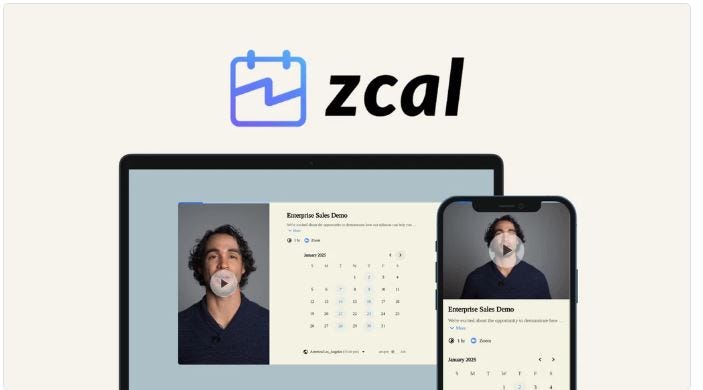
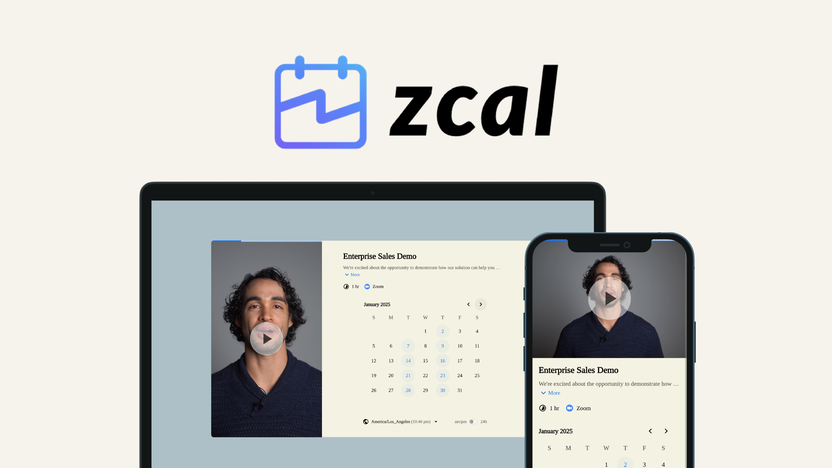
Zcal is a design-first scheduling platform. It allows users to create visually appealing and brand-consistent booking pages. These pages can be customized using various fonts, colors, layouts, and media, making them unique to your brand.
Zcal supports team scheduling, syncing multiple calendars for collective scheduling, round-robin scheduling, and custom access levels. It also integrates with popular tools like Google Calendar, Google Meet, Microsoft Teams, Outlook Calendar, and Zoom.
Purpose And Overview Of The Lifetime Deal
The Zcal Lifetime Deal provides businesses with a cost-effective way to access advanced scheduling features. By purchasing this deal, users gain lifetime access to Zcal’s Pro Plan, which includes:
- Unlimited links and connected calendars
- Customizable scheduling pages
- Automated email reminders
- Stripe payment integration
- Analytics integrations
- Video introductions
There are three license tiers available:
| License Tier | Price | Users |
|---|---|---|
| Tier 1 | $59 | 3 users |
| Tier 2 | $139 | 10 users |
| Tier 3 | $219 | 50 users |
All plans include features like unlimited links, connected calendars, automated email reminders, and analytics integrations. Additionally, users can manage multiple teams and ensure privacy through distinct workspaces and independent logins.
The deal also comes with a 60-day money-back guarantee, allowing users to try out Zcal and see if it meets their needs. This lifetime deal is a valuable investment for businesses looking to improve their booking processes and customer engagement.
Credit: medium.com
Key Features Of Zcal
Zcal offers a range of features designed to improve the scheduling experience. These features help create visually appealing and brand-consistent booking pages. Below, we explore the key features of Zcal in detail.
Customizable Scheduling Options
Zcal allows users to design scheduling pages with custom fonts, colors, layouts, and media. This ensures that the booking pages reflect your brand. The advanced scheduling options enable you to set up required or optional hosts, booking limits, buffer times, and custom availability. This flexibility makes it easy to manage multiple appointments and avoid conflicts.
Integration With Popular Calendar Apps
Zcal integrates seamlessly with popular calendar apps like Google Calendar, Outlook Calendar, and Microsoft Teams. This ensures that your schedules are always up-to-date. Additionally, it connects with video conferencing tools like Google Meet, Zoom, and Microsoft Teams. This integration helps streamline the scheduling and meeting process.
Automated Reminders And Notifications
Zcal offers automated email reminders for scheduled meetings. These reminders are customizable, so you can tailor them to meet your needs. This feature helps reduce no-shows and ensures that both you and your clients are well-prepared for meetings.
User-friendly Interface And Design
Zcal is designed with a user-friendly interface that makes it easy to navigate and use. The design is intuitive, ensuring that even non-technical users can create and manage their scheduling pages without difficulty. The no branding option allows you to present a professional image without external logos.
Pricing And Affordability
Pricing and affordability are key considerations when evaluating zcal. This design-first scheduling platform offers a variety of pricing plans to meet the needs of different users. Let’s break down the costs and see how zcal’s lifetime deal compares to traditional monthly or yearly subscription plans.
Lifetime Deal Cost Breakdown
| License Tier | Price | Original Price | Number of Users |
|---|---|---|---|
| License Tier 1 | $59 | $252 | 3 users |
| License Tier 2 | $139 | $840 | 10 users |
| License Tier 3 | $219 | $4,200 | 50 users |
All plans include unlimited links, unlimited connected calendars, automated email reminders, custom questions, cover photos, Google and Outlook Calendar integration, Stripe payment integration, Zapier, Zoom, Google Meet, and Microsoft Teams integrations, embed on website, round-robin events, no commissions, customize email reminders, analytics integrations, unlimited videos, and upload videos.
Comparison With Monthly/yearly Subscription Plans
Comparing zcal’s lifetime deal with traditional monthly or yearly subscription plans highlights the value offered:
- Monthly Subscription: Typically costs around $20 per user, per month.
- Yearly Subscription: Generally offers a slight discount, costing around $200 per user, per year.
For a team of 3 users, a monthly subscription would cost approximately $60 per month or $720 per year. In contrast, zcal’s License Tier 1 offers lifetime access for just $59. This represents a significant cost saving.
Cost-effectiveness Over Time
The cost-effectiveness of zcal’s lifetime deal becomes apparent over time:
- Year 1: Immediate savings compared to both monthly and yearly subscription costs.
- Year 2 and Beyond: Continued use without additional payments results in further savings.
For larger teams, License Tier 2 and Tier 3 offer even greater savings. For example, License Tier 3 supports 50 users for $219. A comparable monthly subscription would cost around $1,000 per month, or $12,000 per year.
Choosing zcal’s lifetime deal ensures long-term affordability and significant savings. The one-time payment provides ongoing access to all features and future updates.

Credit: authorityaid.com
Pros And Cons Of Zcal
Evaluating the pros and cons of Zcal is essential for anyone considering this design-first scheduling platform. Below, we delve into its strengths and areas for improvement.
Advantages Of Using Zcal
| Feature | Benefits |
|---|---|
| Customizable Scheduling Pages | Create pages with custom fonts, colors, and layouts that reflect your brand. |
| Team Scheduling | Sync multiple calendars for collective scheduling and custom access levels. |
| Video Introductions | Add or record video intros to connect with clients more personally. |
| Advanced Scheduling Options | Set booking limits, buffer times, and custom availability for better control. |
| Integrations | Compatible with Google Calendar, Google Meet, Microsoft Teams, Outlook Calendar, and Zoom. |
| No Branding | Option to remove Zcal branding, keeping your brand in focus. |
| Automated Email Reminders | Send customizable email reminders for scheduled meetings. |
| Payment Integration | Integrates with Stripe for payment processing. |
| Analytics | Integrates with analytics tools for better insights. |
Potential Drawbacks And Limitations
- Learning Curve: Some users might find the advanced features overwhelming at first.
- Limited Integrations: While it covers major tools, it might miss niche integrations some businesses need.
- Price: The cost might be high for small businesses or individual users with limited budgets.
- Dependence on Internet: Requires a stable internet connection for optimal performance.
Understanding both the advantages and potential drawbacks of Zcal helps in making an informed decision. Whether you prioritize customization, team collaboration, or seamless integrations, Zcal offers a range of features to enhance your scheduling experience.
Ideal Users And Scenarios For Zcal
zcal is perfect for individuals and businesses that need a robust scheduling solution. With its design-first approach and advanced features, it caters to a wide range of users and scenarios. Whether you are a freelancer, a small business owner, or part of a larger team, zcal offers the tools to streamline your scheduling processes.
Best Use Cases For Individuals And Businesses
zcal’s customizable scheduling pages and team collaboration features make it suitable for both individuals and businesses.
| Individual Users | Business Users |
|---|---|
|
|
Scenarios Where Zcal Excels
zcal excels in various scenarios due to its rich feature set and flexibility.
- Client Meetings: Customizable booking pages with video introductions enhance client engagement.
- Team Collaboration: Sync multiple calendars and manage collective scheduling effortlessly.
- Event Planning: Round-robin scheduling and buffer times help in organizing events efficiently.
- Online Consultations: Integrations with Google Meet, Zoom, and Microsoft Teams make virtual meetings seamless.
- Payment Handling: Stripe integration allows easy payment collection for bookings.
Credit: appsumo.com
Frequently Asked Questions
What Is Zcal Lifetime Deal?
The Zcal Lifetime Deal offers users lifetime access to the Zcal scheduling tool. It is a one-time purchase.
How Does Zcal Improve Productivity?
Zcal improves productivity by streamlining scheduling processes. It reduces back-and-forth emails and saves time.
Is Zcal Easy To Use?
Yes, Zcal is user-friendly with an intuitive interface. It is designed for simplicity and efficiency.
What Features Does Zcal Offer?
Zcal offers features like calendar integration, customizable scheduling links, and automated reminders. It enhances scheduling efficiency.
Conclusion
Zcal offers a unique and customizable scheduling solution. Its design-first approach enhances client engagement. Advanced features like team scheduling and video introductions add value. Integrations with popular tools streamline the process. With flexible pricing and a 60-day money-back guarantee, zcal is worth considering.
For more information, visit their page on AppSumo.

