
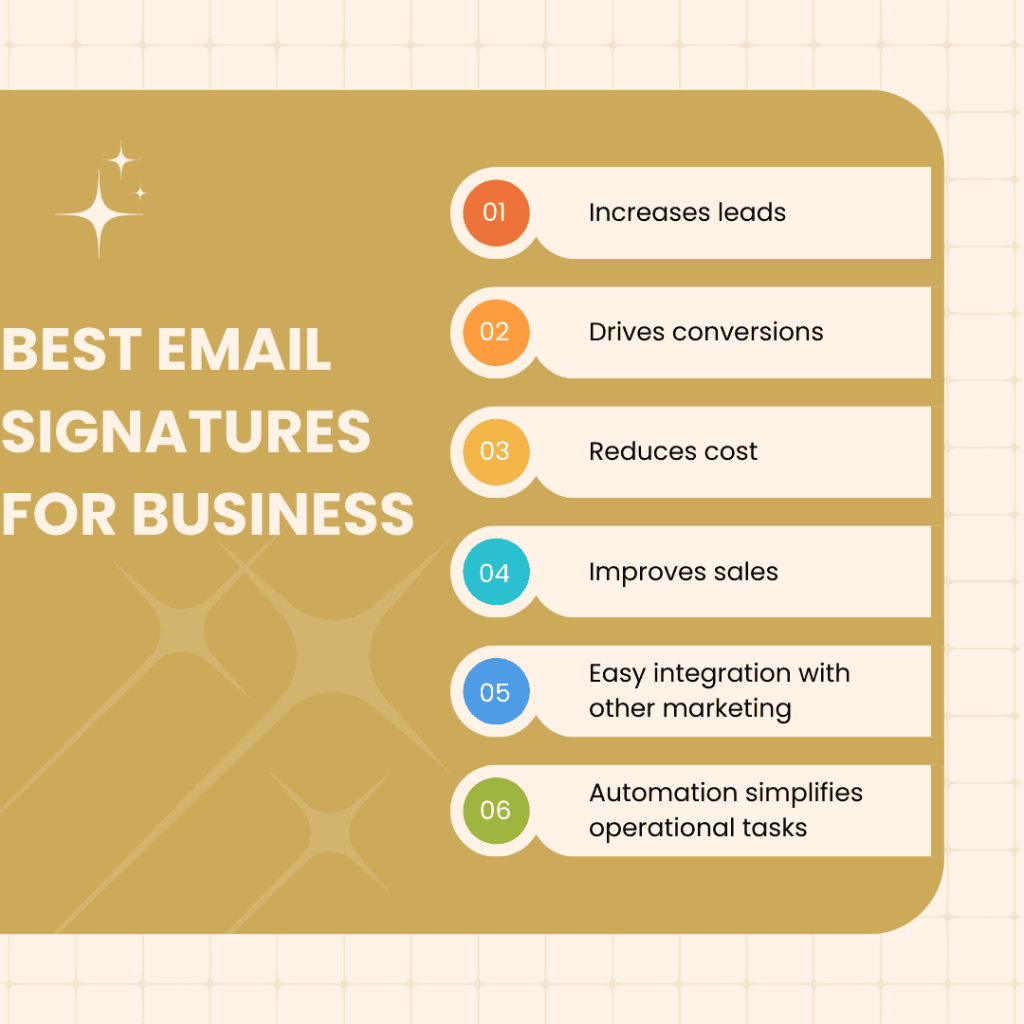
Discover the best email signatures for business. Learn how to create professional, impactful signatures that enhance your brand and communication.
A well-crafted email signature can boost your business’s image. It not only provides contact details but also adds a personal touch to every email. Think of it as your digital business card. In today’s competitive market, a professional email signature can set you apart.
It’s more than just a name and phone number; it’s an essential part of your branding. With so many options available, choosing the best email signature can be challenging. This guide will help you explore the best practices and design ideas for creating an effective email signature for your business. Let’s dive into the world of professional email signatures and see how they can enhance your business communication.

Credit: www.mailtastic.com
Importance Of Email Signatures
Email signatures are crucial for business communication. They act as a digital business card. A well-crafted email signature can leave a lasting impression. It also conveys professionalism and trust.
First Impressions
First impressions matter in business. Your email signature is often the first thing people see. It can set the tone for your communication.
A neat and informative signature shows you care about details. It can make your emails stand out. This is especially important in crowded inboxes.
Professionalism
Professionalism is key in business. An email signature can reflect this. It includes your name, title, and contact information.
A professional signature builds trust. It shows you are organized and serious about your work. It also makes it easy for clients to contact you.
Here is what a professional email signature might include:
- Full name
- Job title
- Company name
- Phone number
- Email address
- Website link
Essential Elements
Creating an effective email signature is key for professional communication. The right elements ensure clear and concise information. Let’s discuss the essential elements of a best email signature for business.
Name And Title
Your name and title are the first things people see. Make sure they are clear and professional. This establishes your identity and authority in the business.
- Name: Use your full name. Avoid nicknames.
- Title: Include your job title or role.
For example:
John Doe
Marketing Manager
Contact Information
Providing your contact information is crucial. It allows recipients to reach you easily. Include the following:
- Email: Use a professional email address.
- Phone Number: Include a direct line or cell number.
- Website: Link to your company’s website.
- Social Media: Add links to professional profiles.
A sample contact information section might look like this:
Email: john.doe@company.com
Phone: (123) 456-7890
Website: www.company.com
LinkedIn: linkedin.com/in/johndoe
These elements make your signature complete and professional. They help others contact you easily and know more about your work.
Design Tips
Email signatures are a small but crucial part of business communication. They leave a lasting impression. So, having an effective design is key. Here are some design tips to help you create the best email signature for your business.
Font And Color
Choosing the right font and color is essential. Use a professional font like Arial or Times New Roman. Avoid fancy or playful fonts. They can seem unprofessional.
Keep the font size between 10 and 12 points. This ensures readability on all devices.
For colors, stick to your brand’s color scheme. Use no more than two colors. This keeps the design clean and consistent. Ensure there’s enough contrast for readability. Dark text on a light background works best.
Layout And Spacing
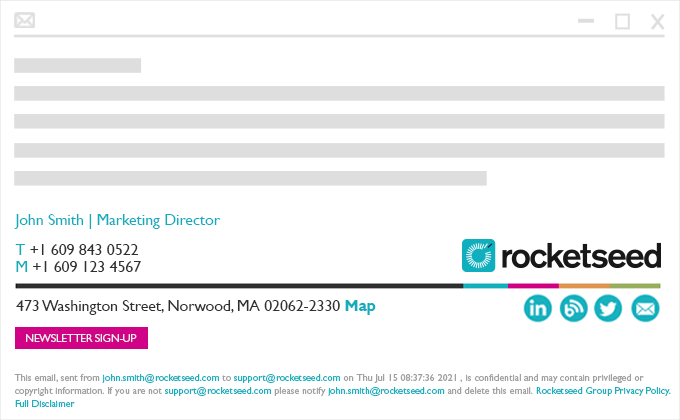
Organize your email signature with a clear layout. Place your name, job title, and company name at the top. Follow this with contact information. Include your phone number, email, and website. You can also add social media icons.
Use spacing to make your signature easy to read. Avoid clutter. Each element should have enough space around it. This ensures that the signature is not overwhelming.
| Element | Placement |
|---|---|
| Name | Top |
| Job Title | Under Name |
| Company Name | Under Job Title |
| Contact Information | Below Company Name |
| Social Media Icons | Bottom |
By following these design tips, you can create a professional and effective email signature. Remember, simplicity and clarity are key.
Legal Considerations
Legal considerations are crucial for business email signatures. They help protect your company and ensure compliance with laws. Understanding these elements can save you from potential legal issues.
Disclaimers
Disclaimers can shield your business from liabilities. They inform recipients about the nature of the email. For example, you might clarify that the email does not form a contract. This helps avoid misunderstandings. Also, a confidentiality notice can protect sensitive information. It warns unauthorized recipients not to read or distribute the email.
Compliance
Compliance with legal standards is vital. Different countries have different rules for email communications. For instance, the GDPR in Europe requires protecting personal data. Including a privacy policy link in your signature can help. This shows that you respect recipient data and comply with regulations. Also, ensure your emails include a clear opt-out option. This is often required by anti-spam laws.
Brand Consistency
Brand consistency is crucial for building trust and recognition. Your email signature is a small but powerful way to reinforce your brand identity. A well-designed signature can strengthen your brand image and leave a lasting impression.
Company Logo
Incorporating your company logo in your email signature is a must. The logo represents your brand visually. It should be clear and of high quality. Avoid using low-resolution images as they can look unprofessional.
Ensure the logo size is appropriate. Too large can be overwhelming, and too small can be missed. Typically, a logo size of 100×100 pixels works well. Here’s a simple HTML code snippet to add a logo:

Brand Colors
Using brand colors in your email signature helps maintain brand consistency. Colors play a significant role in brand recognition. Stick to your brand’s primary and secondary colors.
For text, links, and borders, use your brand’s color palette. This creates a cohesive look. Here’s an example of how to style your signature with brand colors using HTML:
Ensure the text is readable. Contrast is key. Light text on a dark background or vice versa works best.
Remember, brand consistency in email signatures enhances professional appearance. It strengthens brand identity and fosters trust. Use your logo and brand colors effectively.
Social Media Integration
Integrating social media into your email signature can boost your business. It helps connect with clients on various platforms. This strategy can enhance your online presence and engagement.
Icons And Links
Adding social media icons makes your email signature visually appealing. These icons should be easily recognizable. Use icons from popular platforms like Facebook, Twitter, LinkedIn, and Instagram.
Ensure the icons are clickable. Add direct links to your social media profiles. This encourages recipients to visit your pages. Here is a simple HTML code to add social media icons:


Best Practices
Follow these best practices for social media integration:
- Keep it simple: Use only key social media platforms.
- Consistency: Ensure your social media handles match your branding.
- Size: Use small icons to avoid cluttering the signature.
- Position: Place icons at the bottom of the signature.
- Check links: Ensure all links are correct and working.
| Platform | Icon Size | Link Example |
|---|---|---|
| 20×20 | https://www.facebook.com/yourprofile | |
| 20×20 | https://www.twitter.com/yourprofile | |
| 20×20 | https://www.linkedin.com/yourprofile | |
| 20×20 | https://www.instagram.com/yourprofile |
Call To Action
An effective call to action (CTA) in your email signature can drive engagement. It encourages recipients to take specific steps. Whether you want them to visit your website, follow you on social media, or register for an event, a well-crafted CTA can make a big difference.
Promotional Links
Incorporating promotional links in your email signature is a smart strategy. These links can direct recipients to your latest blog post, product page, or special offer. Use clear and concise language to entice clicks. For example:
- Discover our new product line
- Read our latest blog post
- Check out our special offers
Make sure the links are relevant and regularly updated. This ensures your recipients always have access to fresh content.
Event Invitations
Promote your upcoming events with event invitations in your email signature. This is a great way to increase attendance and engagement. Consider the following formats:
- Join our webinar on digital marketing
- Attend our networking event
- Register for our annual conference
Include essential details like date, time, and a registration link. This makes it easy for recipients to sign up and mark their calendars.
Credit: www.rocketseed.com
Email Signature Tools
Creating a professional email signature is essential for business communication. Email signature tools help you design and manage your signatures. These tools offer various features to ensure your email signature stands out. Here are some of the best options to consider.
Software Options
Choosing the right software can make a big difference. Here are some popular choices:
- WiseStamp: This tool offers a range of templates. It also integrates with various email clients.
- HubSpot: Known for its easy-to-use interface. HubSpot allows you to create and customize your signature.
- Newoldstamp: This software provides advanced analytics. It helps you track the performance of your email signatures.
- Exclaimer: Ideal for larger businesses. Exclaimer offers centralized management for all employee signatures.
Customization Features
Customization is key to a unique email signature. Here are some features to look for:
- Templates: Pre-designed templates save time. They also ensure a professional look.
- Social Media Icons: Add icons for LinkedIn, Twitter, and Facebook. This helps in connecting with recipients on different platforms.
- Logos and Images: Include your company logo. Adding a professional photo can also make a difference.
- Fonts and Colors: Match your signature with your brand colors. Use easy-to-read fonts.
- Call to Action: Add a link to your website. Or include a link to your latest blog post.
A well-designed email signature can enhance your business communication. Use these tools and features to create your perfect signature.

Credit: www.yesware.com
Frequently Asked Questions
What Makes A Good Email Signature?
A good email signature includes your name, title, contact information, and company logo. It should be professional and concise. Avoid clutter by limiting it to essential information.
How Do I Create A Professional Email Signature?
To create a professional email signature, use a signature generator tool. Include your name, title, and company details. Add a logo and keep the design simple.
Should I Include Social Media Links?
Yes, including social media links can enhance your email signature. It allows recipients to connect with you on various platforms. Ensure they are professional accounts.
How Important Is A Mobile-friendly Email Signature?
A mobile-friendly email signature is crucial. Many recipients read emails on mobile devices. Ensure your signature is readable and well-formatted on smaller screens.
Conclusion
Crafting the best email signature boosts your business professionalism. A well-designed signature ensures clear communication. It reflects your brand identity. Keep it simple and informative. Include essential details like name, position, and contact info. Avoid unnecessary graphics or long quotes.
Consistent use across all emails strengthens your brand. Invest time in creating a signature that leaves a lasting impression. A strong email signature can set you apart in the business world. Make yours count.
